One HIMS for the
whole hospital journey.

From registration and OPD to diagnostics, wards and billing, explore the features that bring hospital operations into one system. Configure the setup around the departments your hospital runs.

Front Desk

Help front-desk teams register patients, manage queues and handle payments.

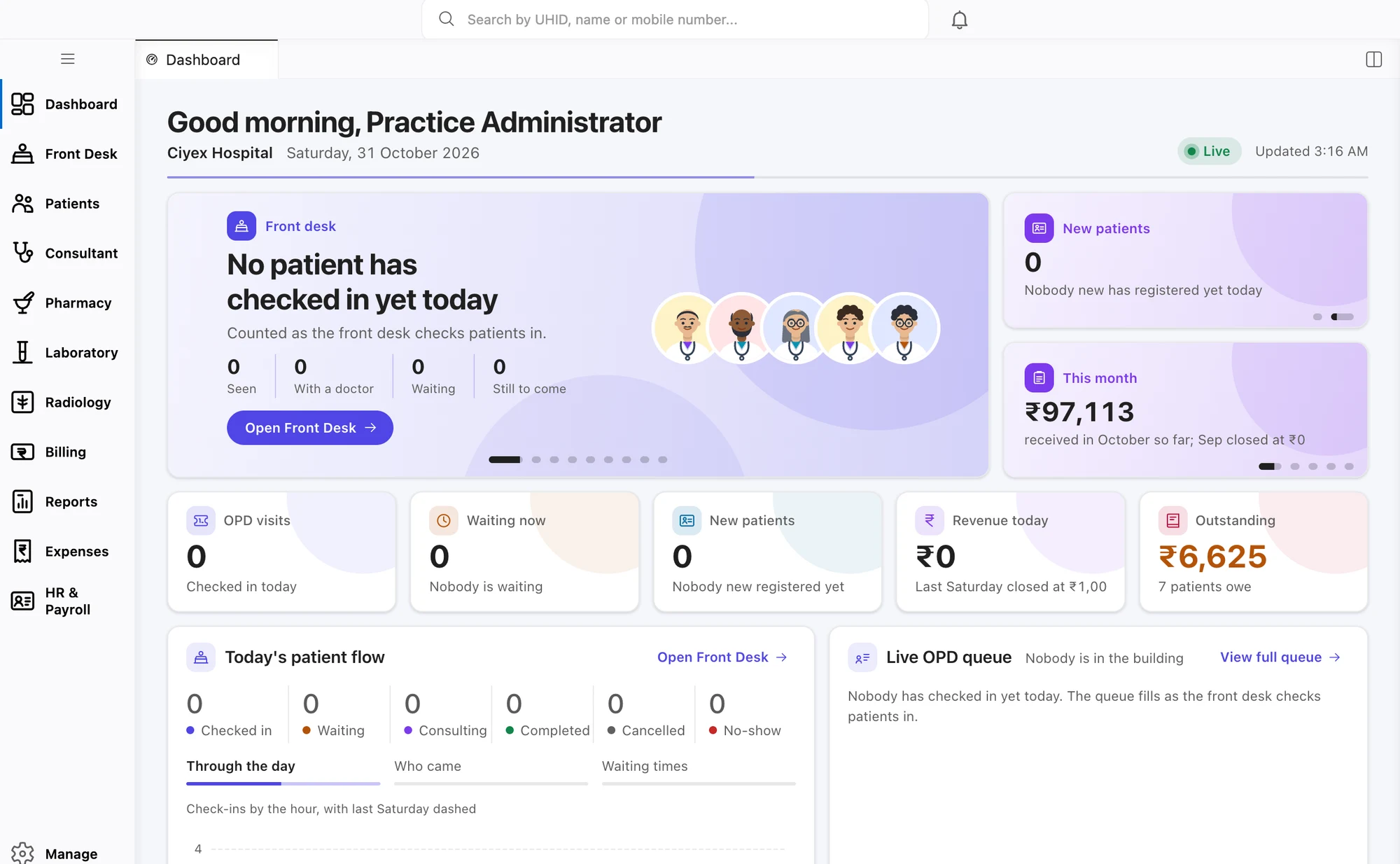
Ciyex HIMS hospital dashboard

Patient Registration / UHID

Create a consistent patient record and UHID that staff can find across visits.

  • UHID numbers follow your own series
  • A warning before a second file is created for the same patient
  • Patient categories, referral source and ID cards
  • Find a patient by name, phone, UHID or IP number
Appointments & Queue

Coordinate appointments, tokens and waiting-room updates from one queue.

  • Book by doctor, department or time slot
  • Issue tokens and call the next patient
  • A display board for the waiting area
  • SMS and email reminders to patients

Billing & Cashier

Bring hospital charges, receipts, advances and refunds into the billing workflow.

  • Your own rates for each patient category and payer
  • Charges come in from OPD, ward, lab, radiology and pharmacy
  • GST on bills, receipts, advances and refunds
  • Day-end cash report by payment mode

Patient Care

Support patient care from outpatient visits and emergency intake through admission and theatre.

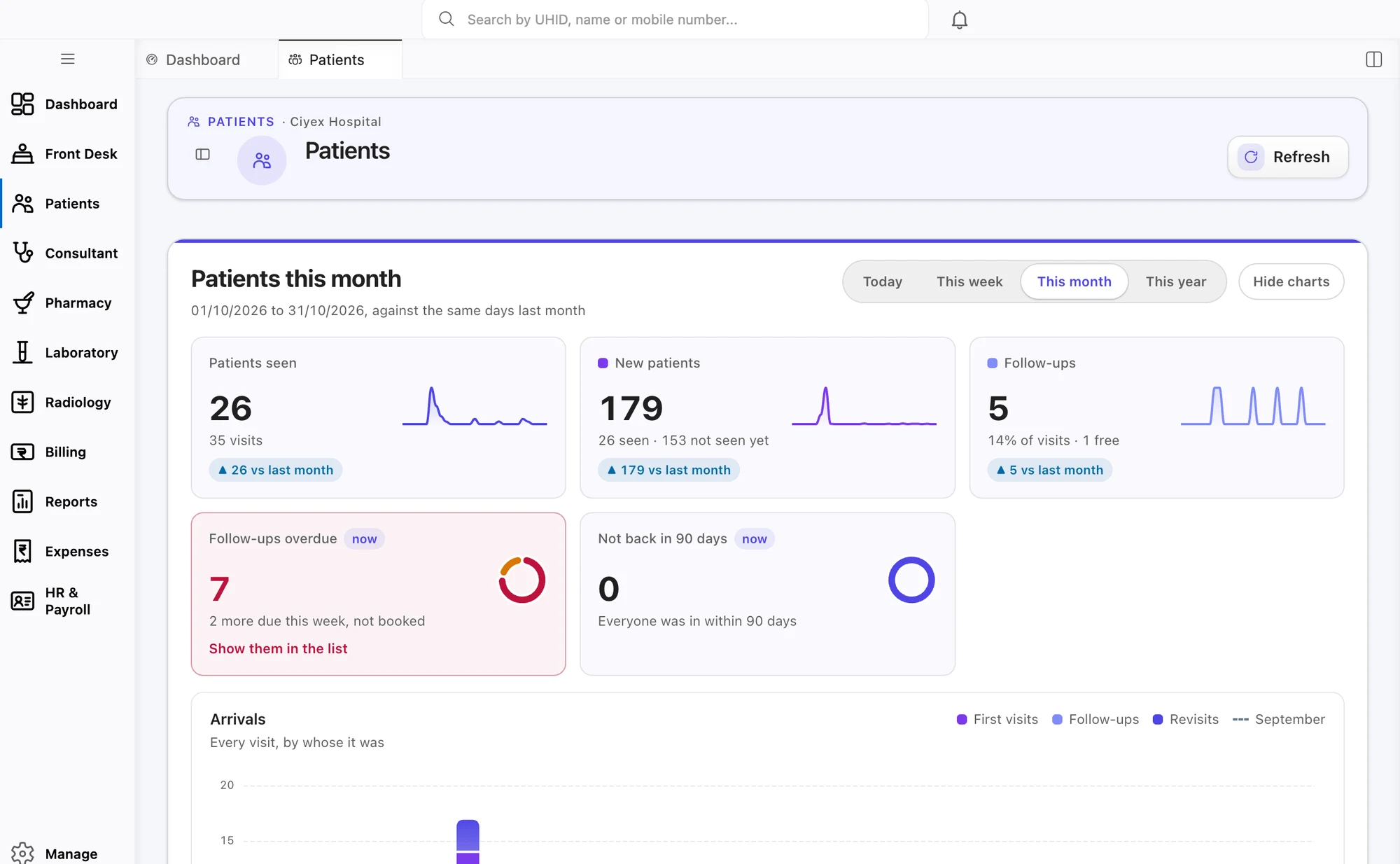
Ciyex HIMS patient management screen

OPD Management

Organise OPD visits, consultation fees, follow-ups and diagnostic results.

  • Start a new visit in one click, with the fee applied
  • Free follow-up periods applied by your own rule
  • Doctors see who is waiting and who to see next
  • Lab and imaging results come back to one place

Emergency / Casualty

Record emergency arrivals, manage casualty workflows and maintain MLC details.

  • Register a patient who arrives without papers
  • The most serious cases are seen first
  • MLC register with police intimation details
  • Record whether the patient was admitted, discharged or referred

IPD / Admission (ADT)

Manage admissions, transfers, deposits and the running account throughout a stay.

  • Admit a patient with IP number, bed and consultant
  • Deposits and advances adjusted against the running bill
  • Move patients between wards, beds and consultants
  • See the running bill from the day of admission

Bed & Ward Management

Give teams a current view of bed availability, occupancy and room rates.

  • All wards, floors, room types and beds in one place
  • An occupancy board that is easy to read
  • The right room rate applied when a bed is given
  • Mark beds as blocked, being cleaned or under maintenance

Nursing Management

Keep vitals, medication rounds and nursing notes together for clearer handovers.

  • Record vitals bed by bed
  • See which medicines are due on each round
  • Nursing notes and intake/output records
  • Shift handovers the next nurse can actually use

Operation Theatre

Coordinate theatre schedules, checklists, consumables and operation notes.

  • Theatre lists by surgeon and room
  • Surgical safety checklist
  • Implants and consumables recorded and added to the bill
  • Operation notes saved to the patient record

Departments

Connect diagnostic, pharmacy and inventory workflows with patient care and billing.

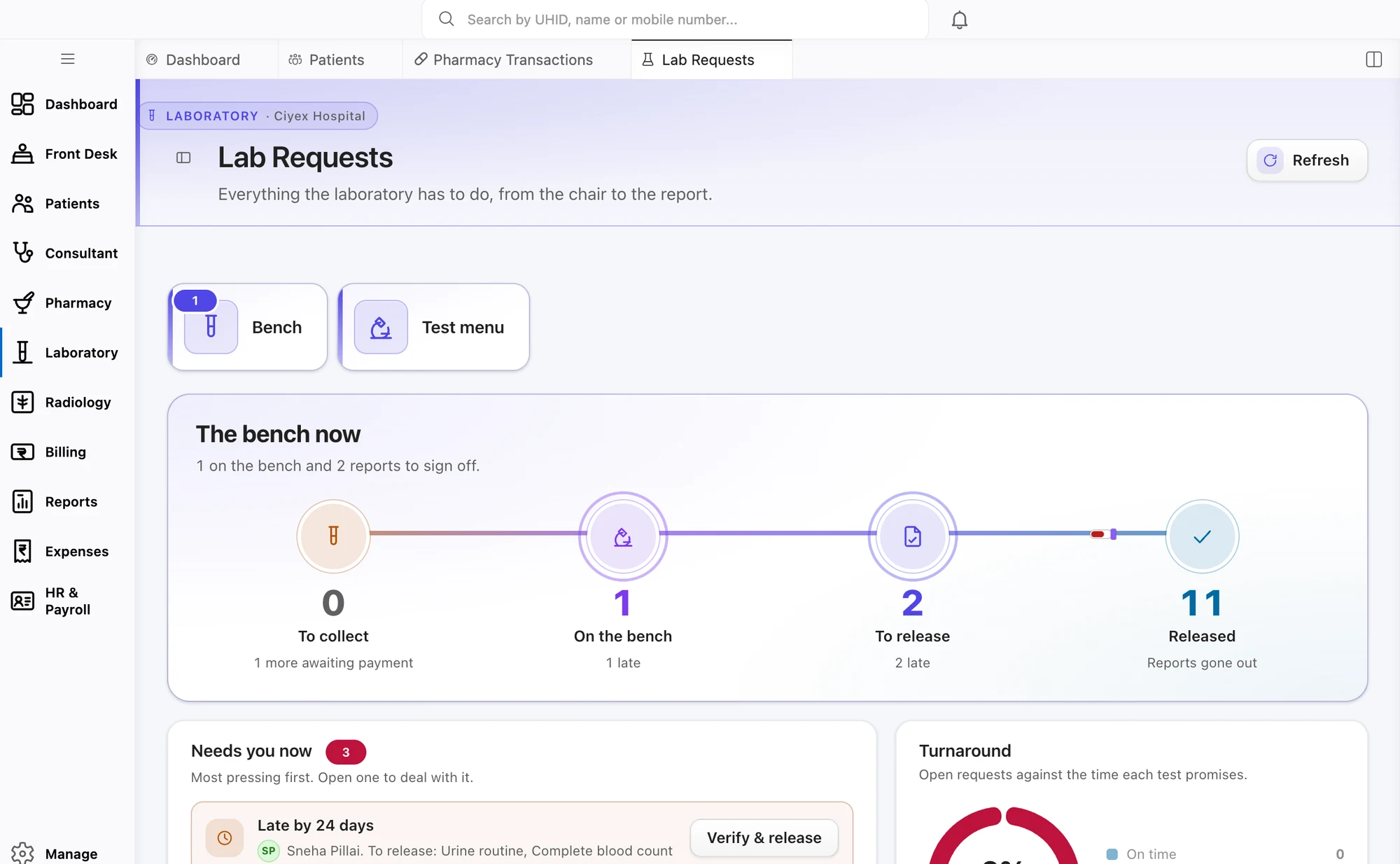
Ciyex HIMS laboratory workflow screen

Laboratory / LIS

Track laboratory samples, review results and prepare signed reports.

  • Your list of tests and profiles, with normal ranges
  • Sample collection, barcodes and rejected samples
  • Enter, check and sign results
  • Results arrive directly from connected lab machines

Radiology / RIS & PACS

Keep imaging requests, studies and radiology reports linked to the patient record.

  • Patient details are sent to the imaging machine
  • Images are saved against the doctor’s request
  • Report templates for each type of scan
  • Signed reports go to the doctor and the patient

Pharmacy

Manage dispensing, billing, batch details, returns and stock alerts in one workflow.

  • Batch and expiry tracked on every sale or issue
  • Counter sales, ward supply and inpatient requests
  • Pharmacy billing and returns
  • Alerts for stock that is expiring soon or running low

Inventory / Stores

Follow supplies from purchase request and receipt through stores and department use.

  • Follow each item from request to purchase order to goods received
  • Separate sub-stores, with issues and usage recorded
  • Stock counts, adjustments and losses
  • Supplier list with agreed rates

Blood Bank

Maintain donor, component-stock, compatibility and issue records together.

  • Donor list with deferral history
  • Stock by blood group and component
  • Cross-match and compatibility records
  • A register of blood issued, returned or discarded

Records

Keep discharge information and medical records organised for future reference.

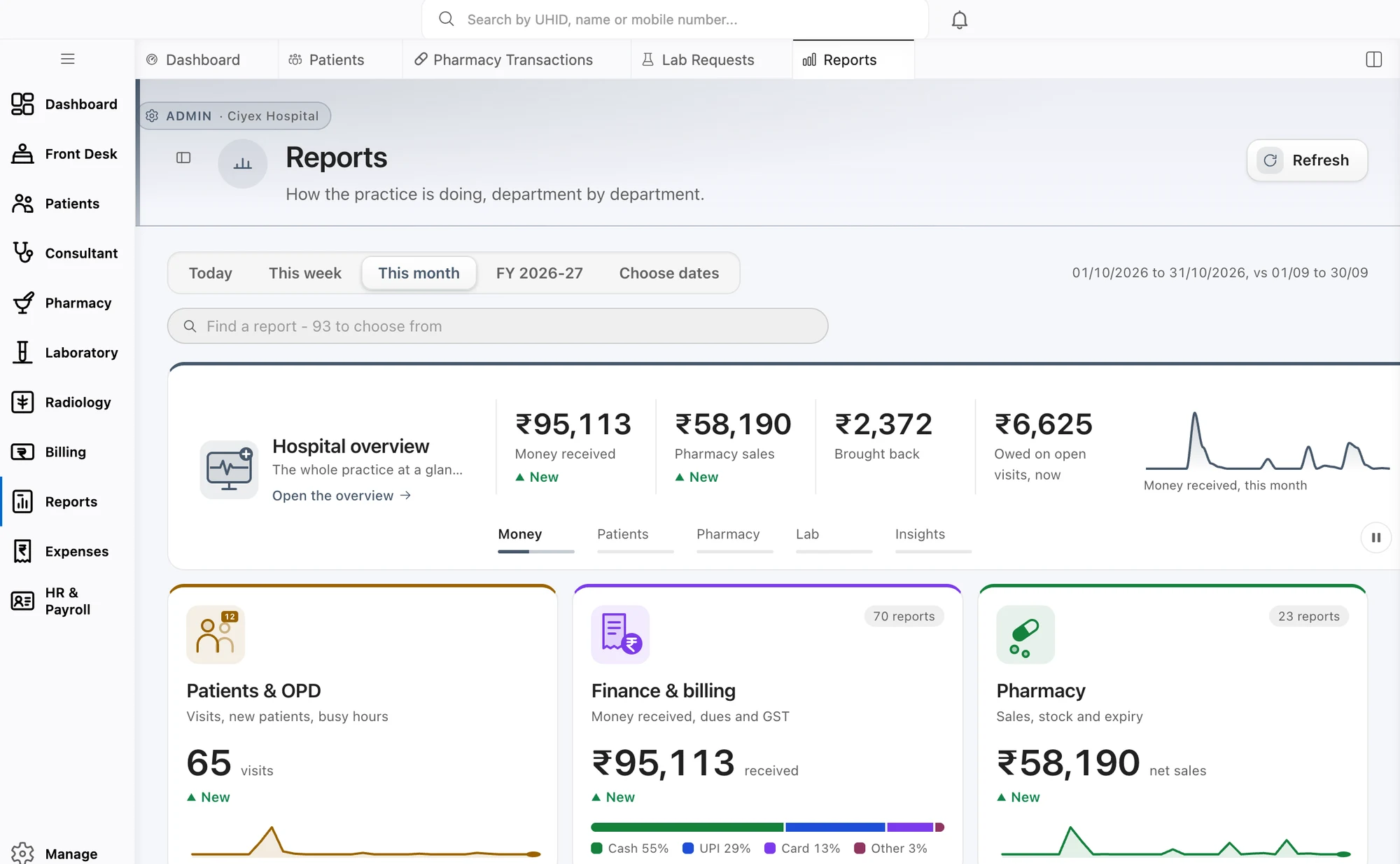
Ciyex HIMS reports screen

Discharge & Final Bill

Coordinate discharge steps, deposit adjustments, final bills and summaries.

  • A checklist to finish before the bed is released
  • Discharge summary printed and filed
  • Deposits adjusted against the final bill
  • Bills checked before the patient leaves

Medical Records (MRD)

Track case files, record requests, releases and retention settings.

  • An index of case files, showing where each one is
  • ICD codes added to completed records
  • Record requests and releases are logged
  • Retention rules set for each type of record

Administration

Coordinate staff, ambulance, accounts and connected equipment from the administrative side.

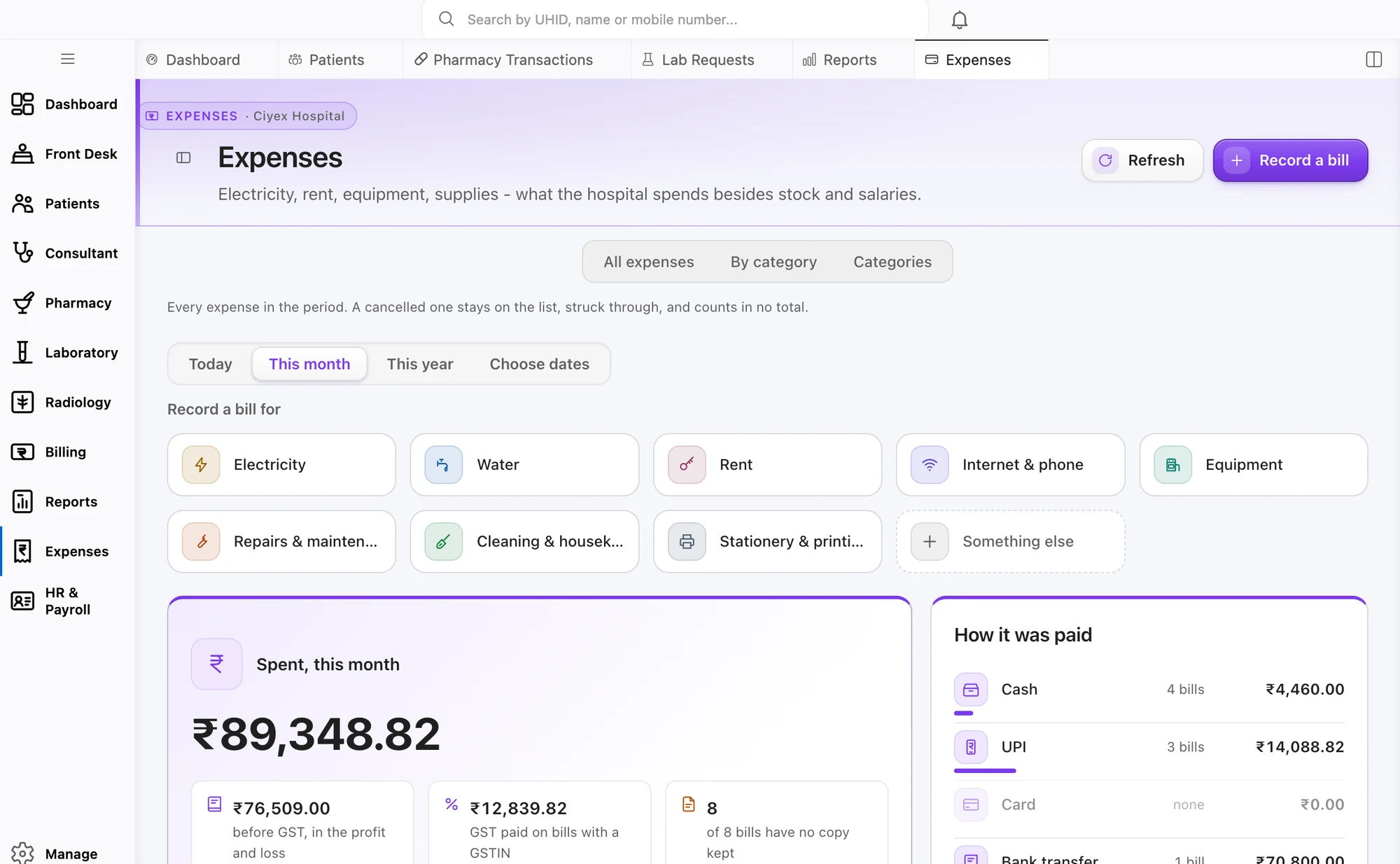
Ciyex HIMS hospital expenses screen

HR & Payroll

Manage staff information, rosters, attendance, leave and payroll workflows.

  • Staff details, credentials and documents
  • Duty rosters by department and shift
  • Attendance and leave
  • Payroll with salary slips

Ambulance Management

Record ambulance assignments, trips, crew details, charges and vehicle documents.

  • Vehicle list with fitness and insurance expiry dates
  • Send out vehicles and keep a log of each trip
  • Assign drivers and crew
  • Add trip charges to the patient’s bill

Accounts & Finance

Bring billing, pharmacy, cash, bank and expense entries into the hospital accounts workflow.

  • A day book that matches the cash counter
  • Cash and bank reconciliation
  • Billing and pharmacy entries reach the ledger
  • Record expenses under heads you define

Machines & Interfaces

Connect diagnostic equipment and external systems, and review messages when an interface needs attention.

  • Lab and imaging machines connected to Ciyex HIMS
  • Open connections for software you build yourself
  • Your service and test names matched to standard codes
  • A record of messages, to help trace a failed connection

Platform

Configure Ciyex HIMS to reflect your facilities, numbering, modules and operating rules.

Ciyex HIMS dashboard

Configuration & Settings

Set module access, numbering, formats, taxes and other hospital-specific options.

  • Switch modules on or off for your hospital, with no restart
  • Your own numbering for UHID, IP, bills and receipts
  • ₹, Indian number format, dd/MM/yyyy dates and April financial year
  • Your own tax rates and rounding rules

Facility & Branch

Manage multiple facilities under one login with separate facility details and settings.

  • More than one unit under one login
  • GSTIN, drug licence and registration for each unit
  • Separate lists, rates and numbering for each unit
  • Reports for one unit or all of them

ABDM Gateway Connection

Configure hospital credentials and check connectivity with the ABDM gateway.

  • Test and live connections, chosen for each hospital
  • Your hospital’s ABDM details are set up inside the software
  • Login credentials are stored securely and not shown again
  • A one-click test checks the connection to ABDM

Let’s map the right setup for your hospital.

Tell us about your departments, facilities and current systems. We’ll walk you through the relevant features and discuss a practical implementation plan.